How to Make a Reservation on Ghecs.com (Complete Step-by-Step Guide 2026)
Ghecs
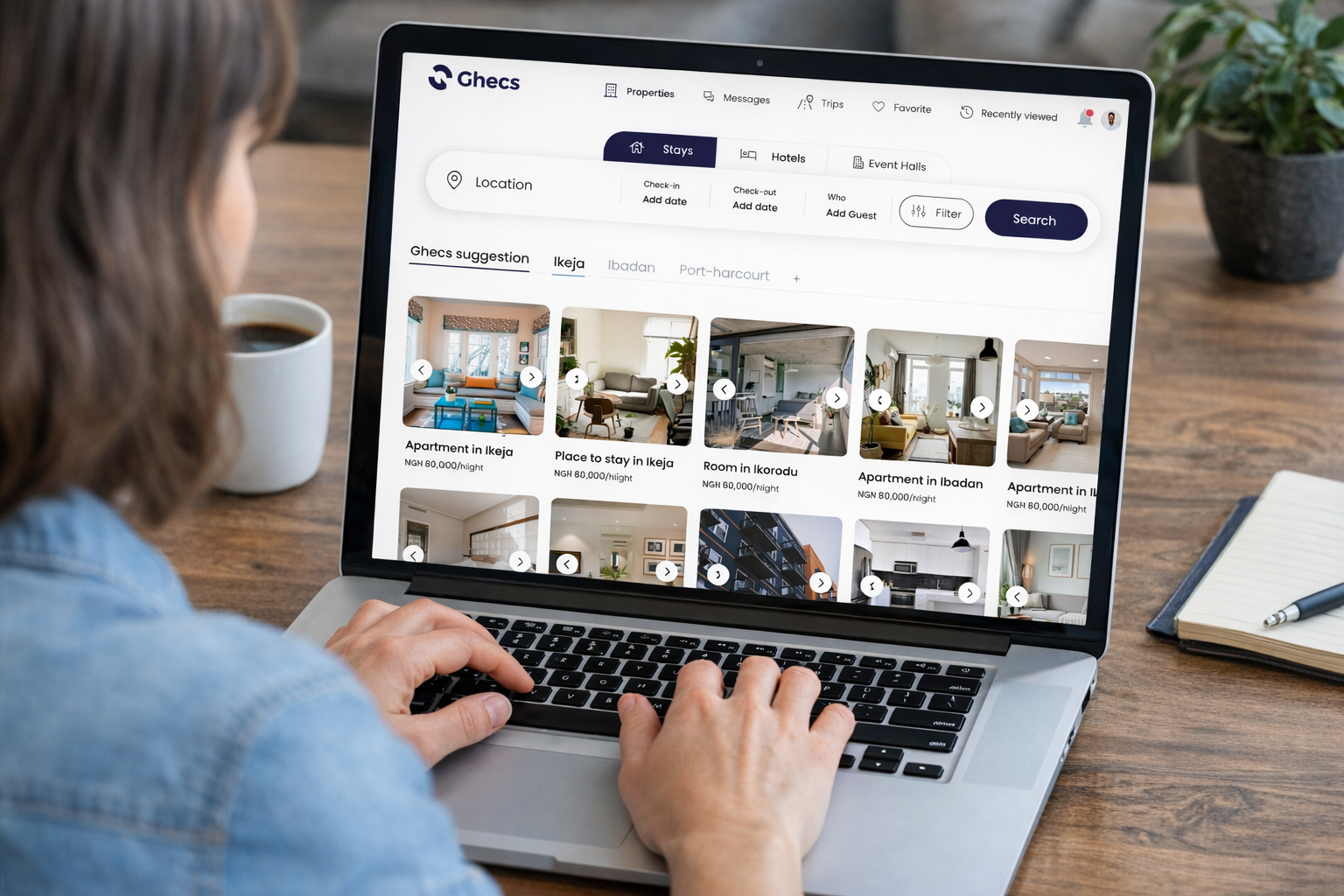
Planning a trip to Nigeria and searching for a trusted platform to book shortlet apartments or hotels? Whether you're visiting Lagos, Abuja, Port Harcourt, Ibadan, or Enugu, finding a secure and reliable place to stay can sometimes feel overwhelming.
Ghecs.com simplifies the process by allowing guests to book verified shortlet apartments, hotels, event halls, and even cars across Nigeria. Every listing on the platform is carefully curated, and payments are securely processed through Stripe, one of the most trusted payment processors used globally.
In this guide, you'll learn exactly how to make a reservation on Ghecs.com, from searching for a property to confirming your booking.
Step 1 : Sign In and Complete KYC Verification
Sign In and Complete KYC Verification
Before making a reservation on Ghecs, users must first sign in to their account and complete a quick KYC (Know Your Customer) verification. This step helps ensure the authenticity and security of users on the platform.
After signing in, you will be prompted to begin the verification process. First, select a preferred form of identification such as:
To begin, select a preferred form of identification such as NIN, International Passport, or Driver’s License, and enter the required ID number.
You will then complete a short facial verification (liveness check) by following the on-screen instructions, such as positioning your face properly and smiling for the camera.
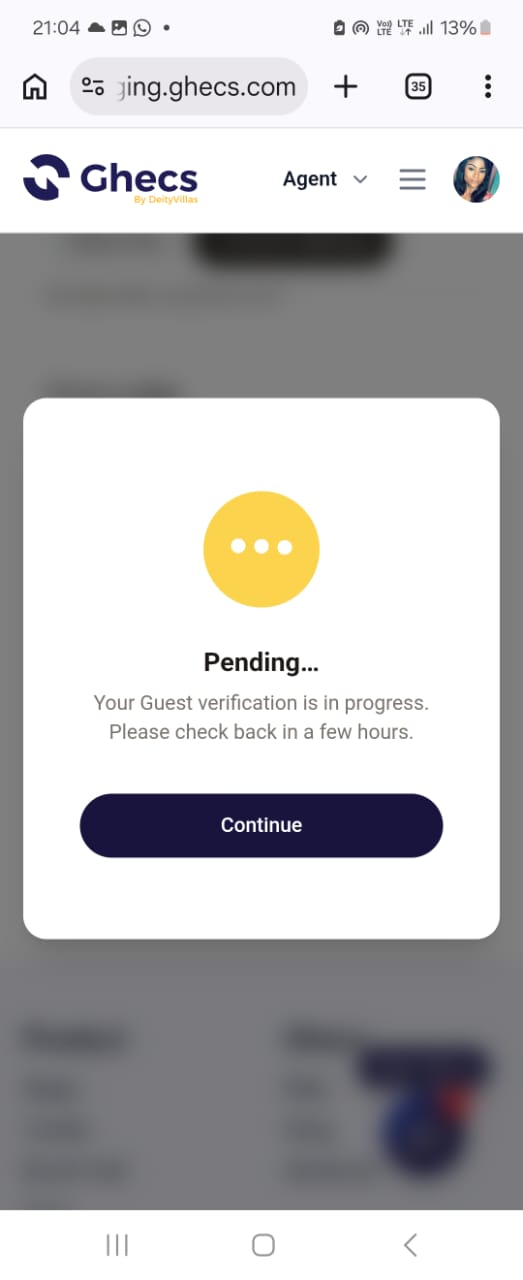
Once submitted, your verification status may appear as Pending while the system processes your information. When the authentication is successful, your account will be verified and you can proceed with making reservations.
Step 2: Search for Your Ideal Stay
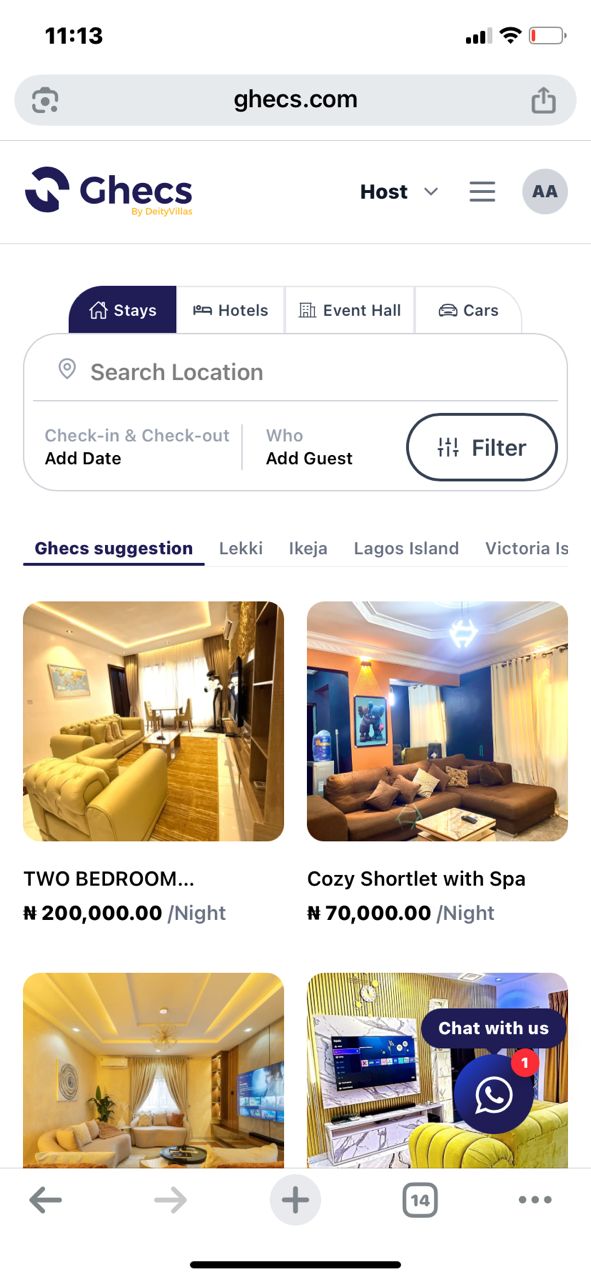
On the homepage, you will see a simple search interface designed to help you find accommodation quickly.
At the top of the search section, you can choose between four main categories:
Stays
Hotels
Event Halls
Cars
To search for accommodation, select Stays or Hotels, then enter your preferred location, check-in date, check-out date, and number of guests.
The homepage also displays Ghecs Suggestions, which highlight recommended properties in popular areas such as Lekki, Ikeja, Lagos Island, and Victoria Island.
Once your details are entered, click Search to view available properties.
Step 3: Browse Listings and Choose a Property
After searching, you will see a list of available properties in your selected location.
Each listing displays: Property photos, Property name , Nightly rate , Location.
This layout allows you to compare options easily before selecting a property.
When you find a listing that interests you, click on it to open the property detail page. Here you will see additional information such as:
Property description, Guest capacity , Amenities, House rules , Location details.
Note: You can also save properties to your Favorites or share them with friends if you're planning a trip together.
Step 4: Select Your Check-In and Check-Out Dates
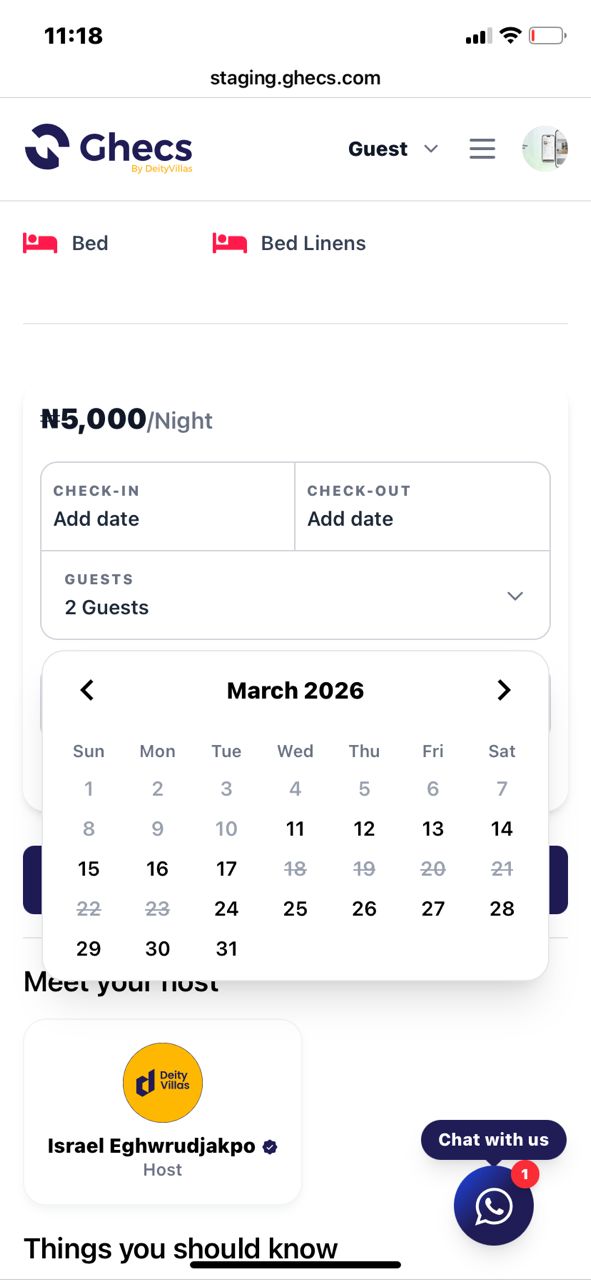
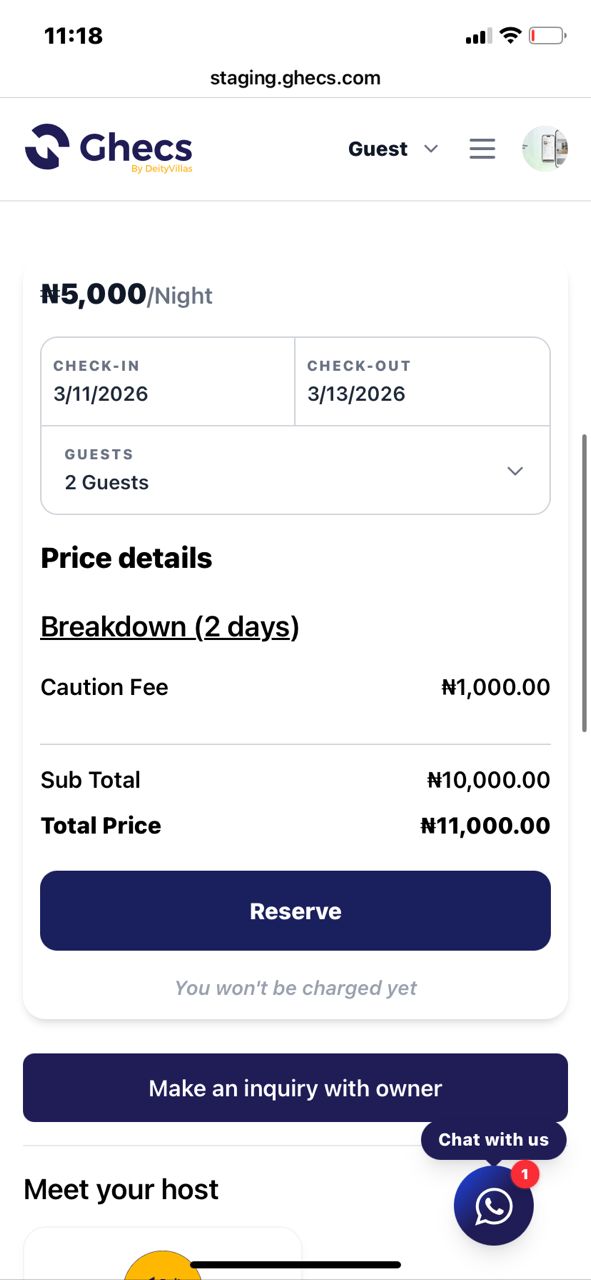
Once you've chosen a property, scroll down to the booking widget on the listing page.
Here you will select: Check-in date, Check-out date ,Number of guests
The calendar makes it easy to see availability. Greyed-out dates indicate that the property is already booked, while available dates can be selected.
After choosing your dates and guest count, the Reserve button will become active.
Step 5: Review the Price Breakdown
One of the key benefits of using Ghecs.com is transparent pricing. As soon as you select your dates, the booking widget will display the full cost of your reservation.
This includes: Accommodation cost , Caution fee (refundable security deposit), Subtotal and total amount
This ensures you know exactly what you will pay before continuing, with no hidden charges during checkout.
If you're satisfied with the price details, click Reserve to proceed. If you still have questions, you can also choose “Make an inquiry with owner” to contact the host directly.
Step 6: Confirm Your Booking Request
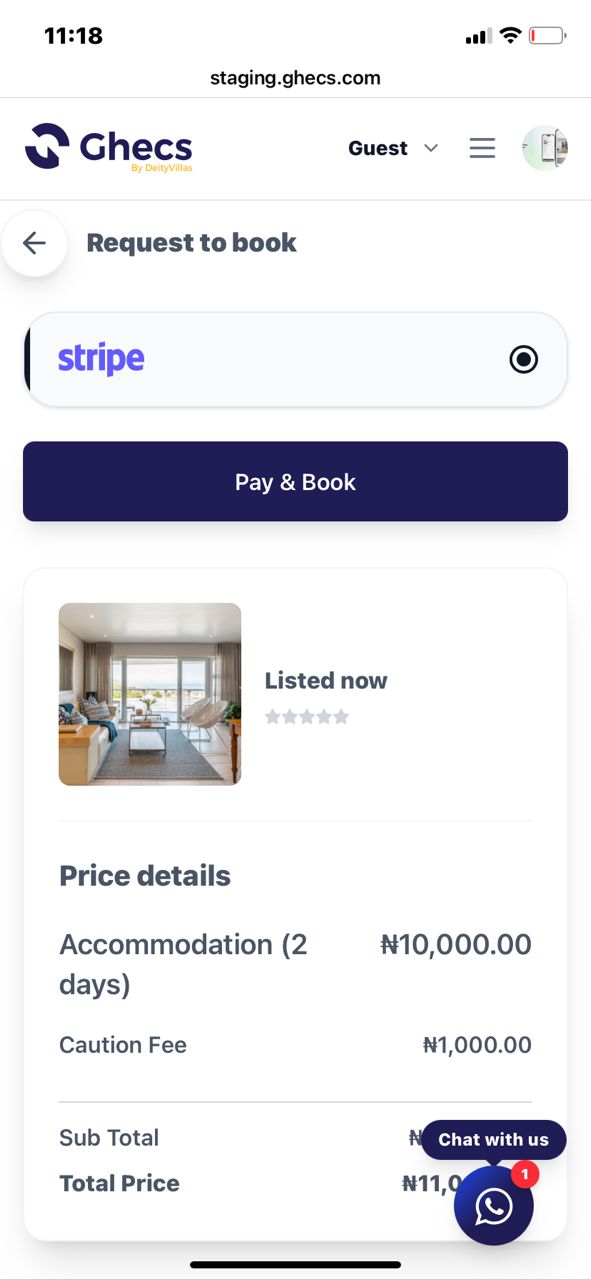
After clicking Reserve, you will be taken to the Request to Book page.
This page summarizes your booking details, including:
Property name and photo
Reservation dates
Total price breakdown
Payment method
Before completing your booking, review the details carefully to ensure everything is correct.
When ready, click Pay & Book to continue to the secure payment page.
Step 7: Complete Secure Payment with Stripe
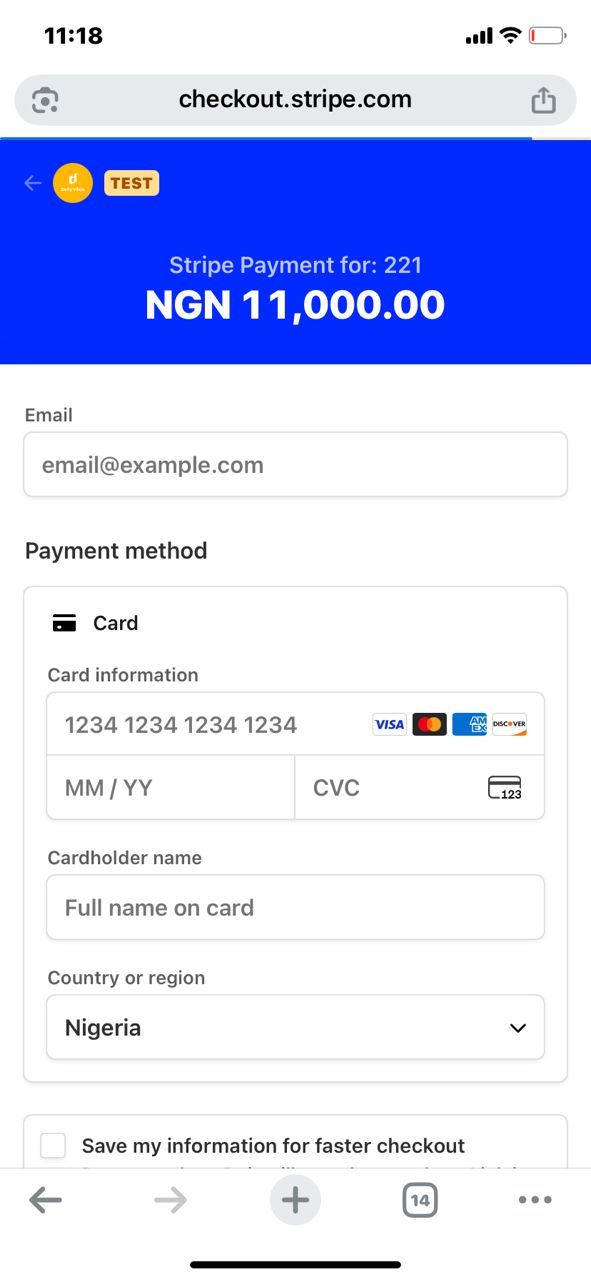
Payments on Ghecs.com are processed through Stripe, a global payment platform known for its high security standards.
On the Stripe checkout page, you will enter:
Email address (for booking confirmation)
Card number
Expiry date
CVC code
Cardholder name
Stripe supports major cards including Visa, Mastercard, American Express, and Discover.
All payments are encrypted and processed securely, ensuring that your card details remain protected.
Step 8: Receive Your Reservation Confirmation
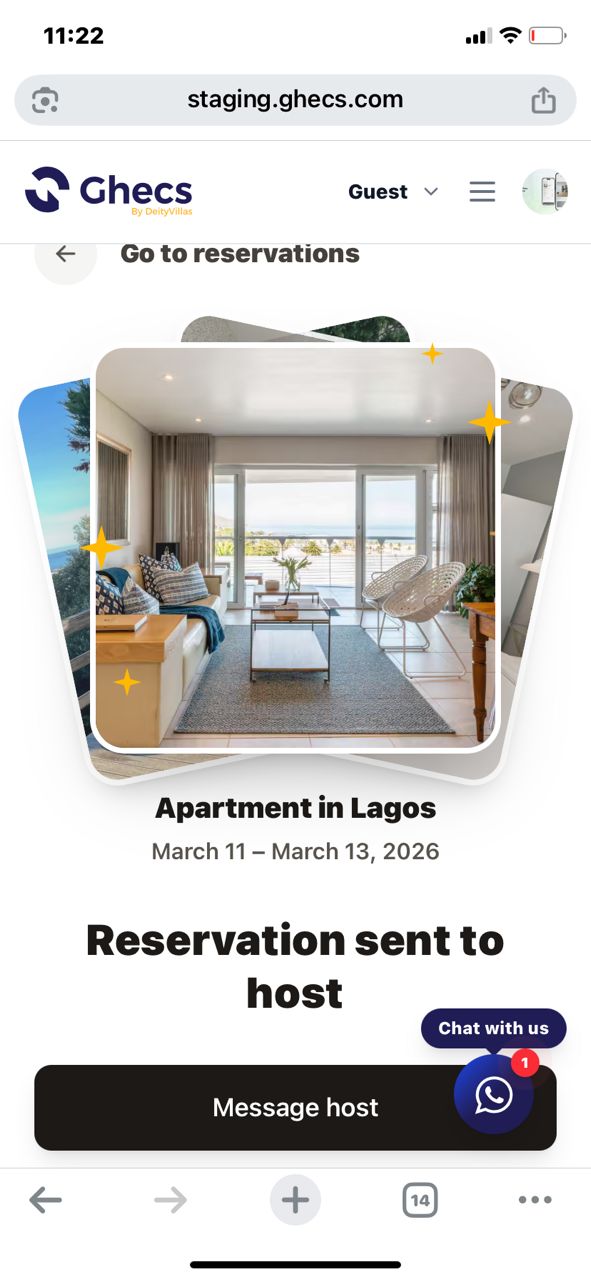
Once your payment is successfully completed, you will be redirected back to Ghecs.com, where your reservation confirmation will appear.
This confirmation page shows:
Property name and photos
Booking dates
Reservation status
Option to message the host
You will also receive a booking confirmation email with your reservation details.
From your account dashboard, you can view and manage all your reservations anytime.
Book Your Stay Anywhere in Nigeria
Whether you're visiting Lagos, Abuja, Port Harcourt, Ibadan, or Enugu, Ghecs.com makes it easy to find and reserve the perfect place to stay.
With verified listings, transparent pricing, and secure Stripe payments, booking accommodation in Nigeria is now faster and more reliable.
Start exploring available properties today and book your next stay in just a few minutes on Ghecs.com.
FAQs
1. How do I complete the KYC verification on Ghecs.com? To complete the KYC verification, sign in to your account, select a valid ID (NIN, passport, or driver's licence), and follow the instructions for facial verification.
2. Can I book both shortlet apartments and hotels on Ghecs.com? Yes, Ghecs.com allows you to book both shortlet apartments and hotels across Nigeria. You can search for your preferred stay, check availability, and book directly.
3. What information do I need to provide to make a reservation? To reserve a property, you’ll need to select your check-in and check-out dates, number of guests, and payment details. The platform will display the full price breakdown before you proceed.
4. How secure is the payment process on Ghecs.com? Payments are processed securely through Stripe, a globally trusted payment platform. Your payment details are encrypted and protected, ensuring a safe transaction.
5. How will I receive confirmation of my booking? After completing your payment, you will receive a booking confirmation on Ghecs.com and an email with your reservation details. You can also manage your booking through your account.